Messaging Information
Photo Booth Houston SMS Opt-In & Terms and Conditions
This page documents the in-person SMS opt-in process used by Photo Booth Houston, operated by Bomba Media LLC.
Guests do not opt in through this website. Guests opt in directly on the Photo Booth sharing screen while attending an event.
Effective Date: September 17, 2026
In-Person SMS Opt-In Process
Guest Consent Workflow
Guests opt in only through the in-person Photo Booth sharing screen while attending an event. Guests do not opt in through this website, a booking form, a purchase, or a general contact form.
To receive a digital Photo Booth image by text message, the guest:
-
Completes the Photo Booth session and accepts the photo.
-
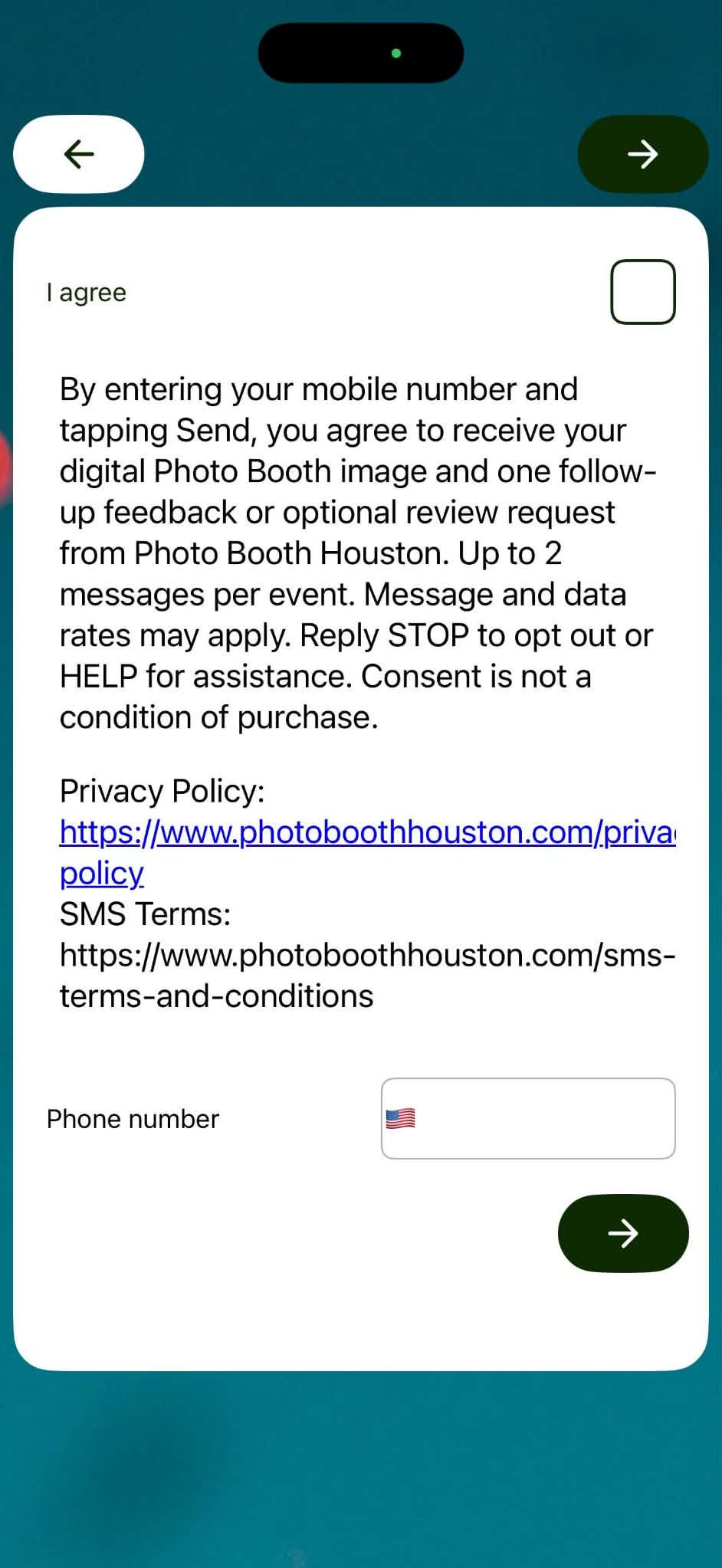
Reviews the SMS consent disclosure shown before the phone-number field.
-
Actively selects the unchecked “I agree” box.
-
Voluntarily enters their mobile phone number.
-
Taps the green arrow to submit the request.
Only after completing these steps is the digital photo sent by text. Guests may also receive one follow-up message requesting feedback or an optional review. Guests receive no more than two messages per event.
Consent Disclosure Shown to Guests
“By entering your mobile number and tapping Send, you agree to receive your digital Photo Booth image and one follow-up feedback or optional review request from Photo Booth Houston. Up to two messages per event. Message and data rates may apply. Reply STOP to opt out or HELP for assistance. Consent is not a condition of purchase.”
Guest-Facing Opt-In Evidence
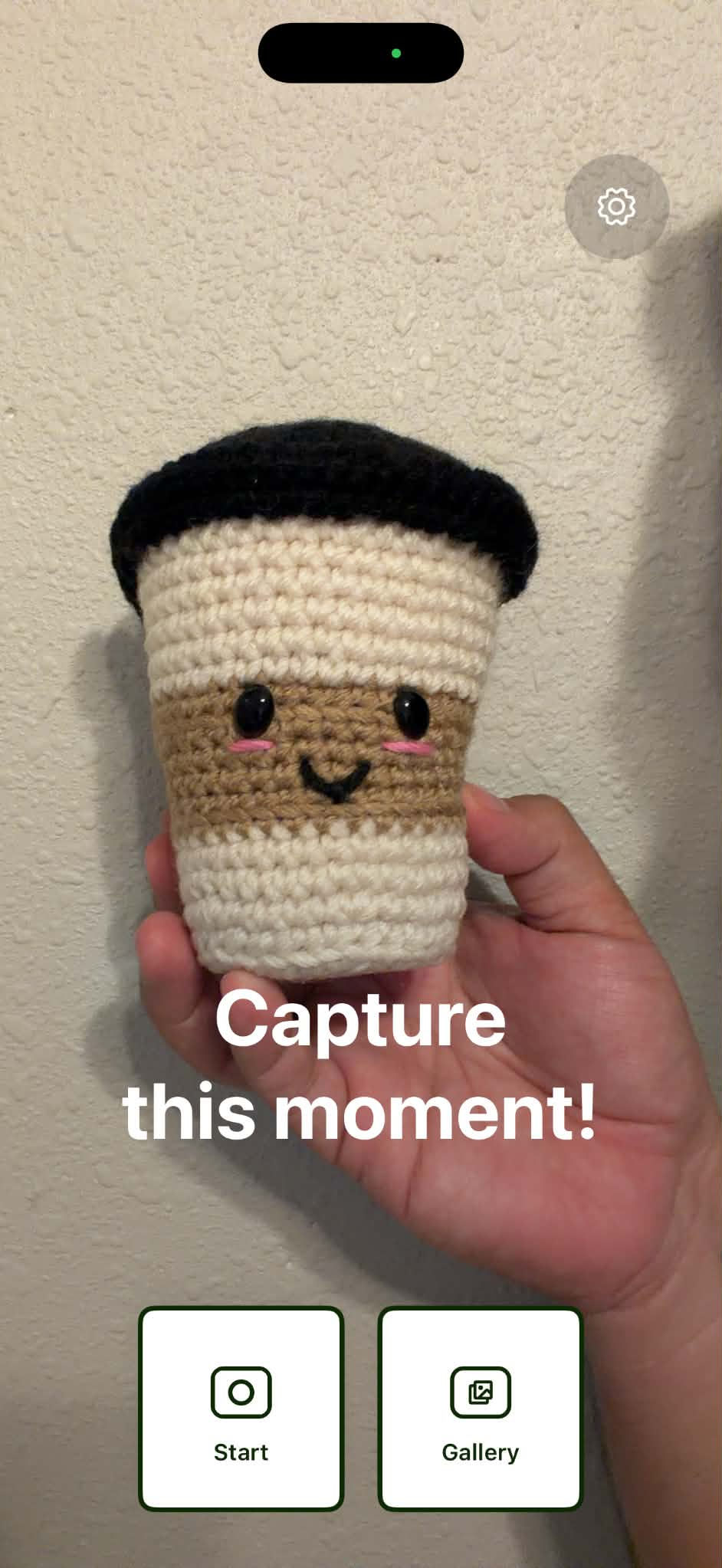
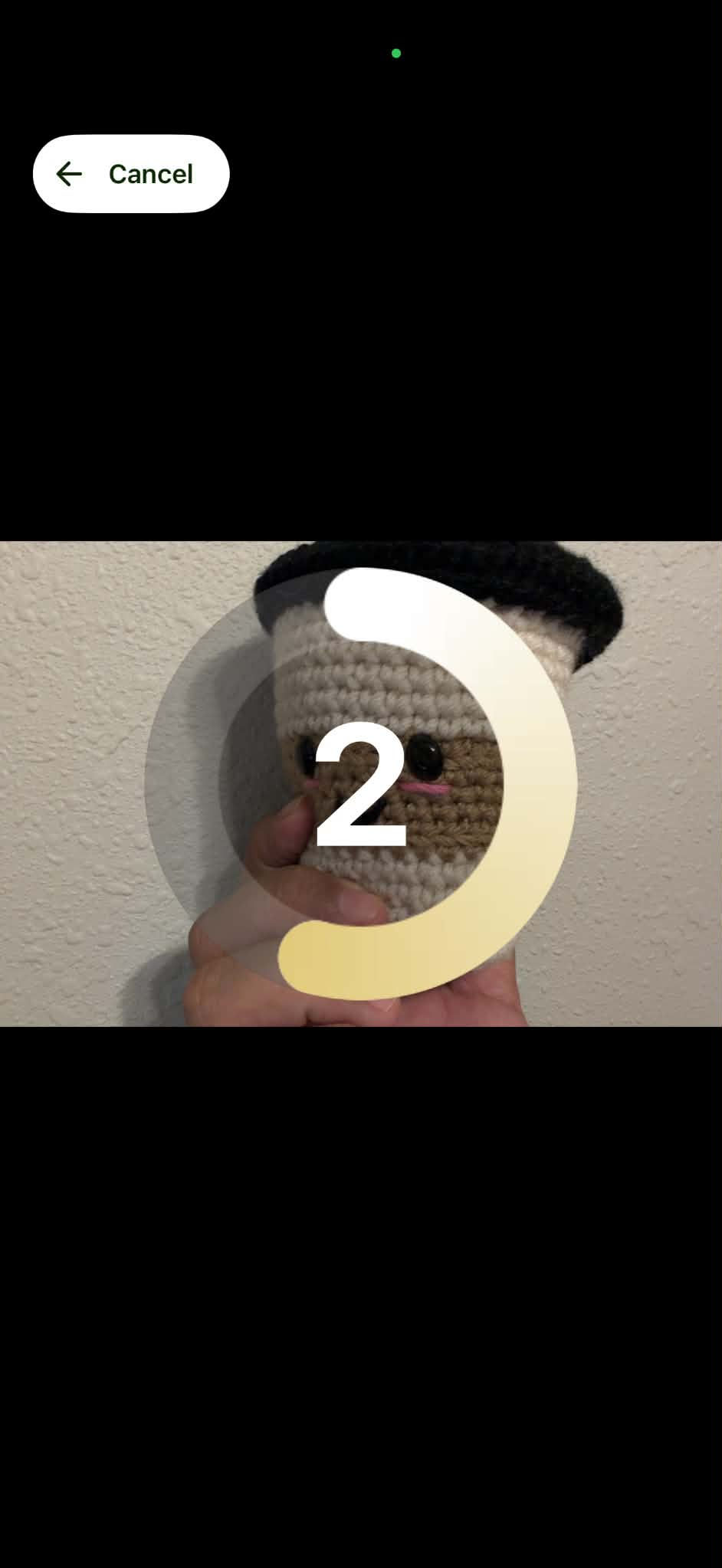
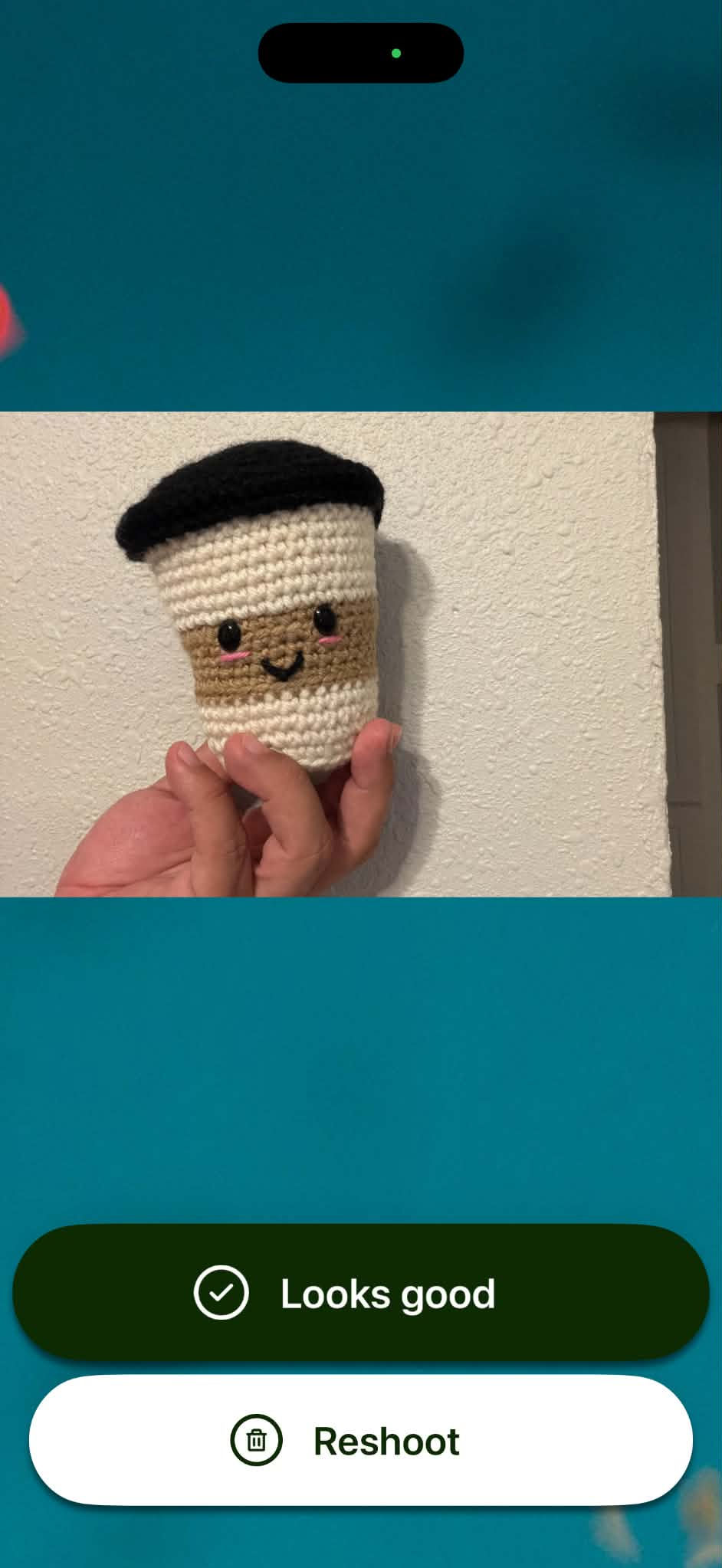
The screenshots below show the complete guest-facing Photo Booth process in chronological order. After accepting their photo, guests who choose to receive it by text are shown the SMS consent disclosure before entering and submitting their mobile phone number.
Start the Photo Booth Session
The guest taps “Start” to begin the Photo Booth experience.
Begin Taking the Photo
The guest touches the screen when ready to take a photo.
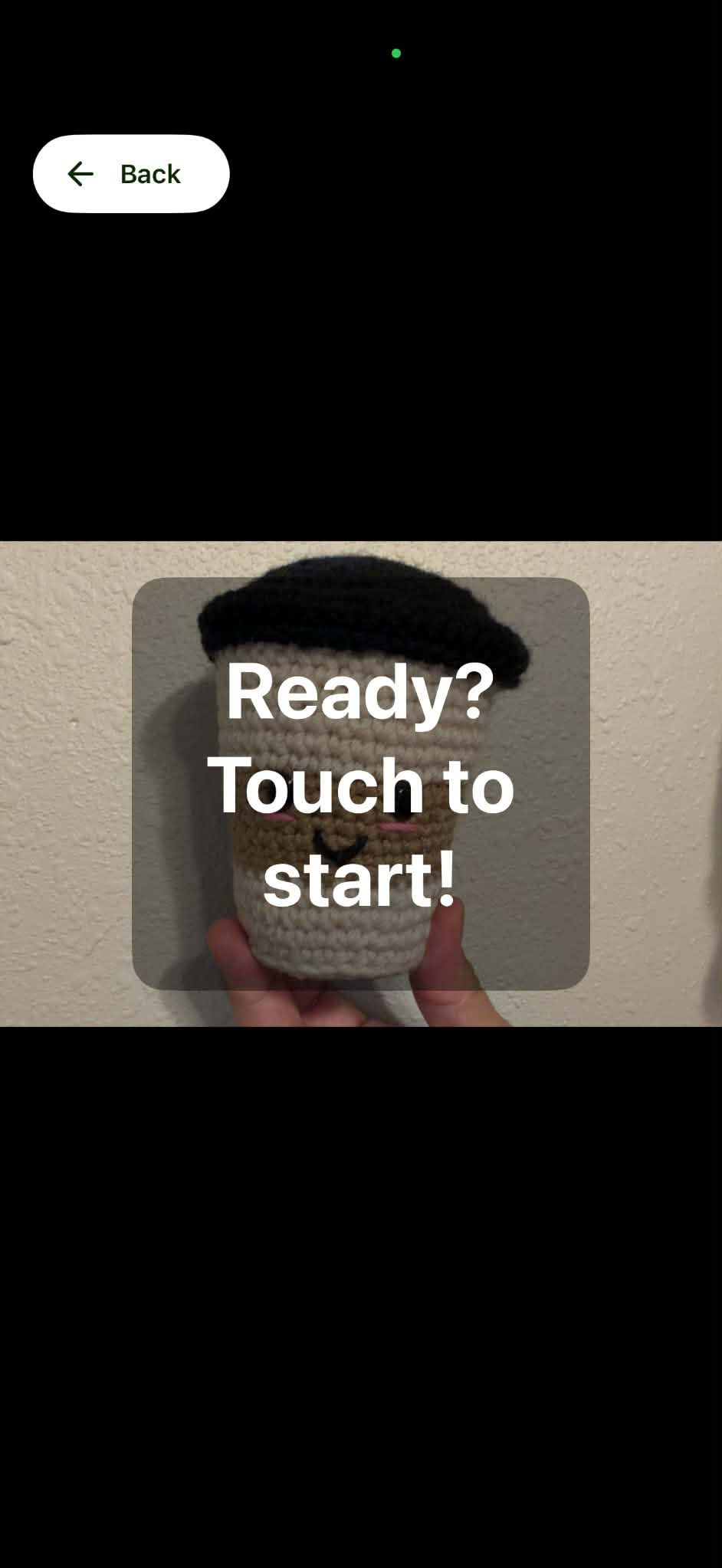
Photo Countdown
The Photo Booth displays a countdown and captures the guest’s photo.
Review the Photo
The guest reviews the photo and selects “Looks good” to continue or “Retake” to capture another photo.
Opt In and Receive the Photo by Text
To receive the accepted photo by text message, the guest reviews the complete SMS consent disclosure, selects “I agree,” voluntarily enters their mobile phone number, and taps the green arrow to submit. The digital photo is sent only after these steps are completed.
Message Frequency
Guests receive no more than two messages per event:
-
One message containing the requested digital Photo Booth image.
-
One follow-up message requesting feedback or an optional review.